I am happy to announce the release of Technitium DNS Server v15, a cross-platform, free, open source software that can be used by anyone, be it a novice or an expert user. It features an easy to use web based GUI and works with default config that allows the server to run out-of-the-box.
Download the latest update for Windows, Linux, macOS, or Raspberry Pi!
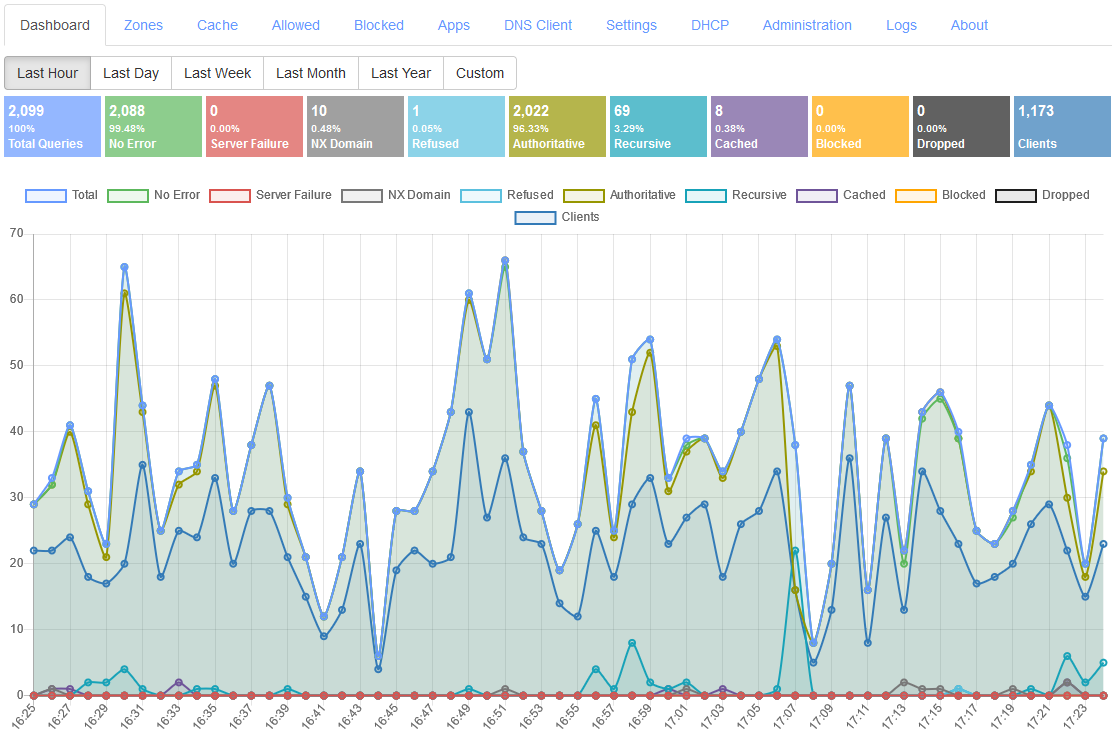
|
| Technitium DNS Server v15 |
This major release adds support for Single Sign-On (SSO) with OpenID Connect (OIDC). This allows organizations to automate user account provisioning for all of their DNS Server deployments and allows the SSO provider administrator to automatically map user accounts to the DNS Server's groups for role based access of resources. This feature simplifies user access management and improves overall security.
This release also upgrades to .NET 10 runtime. If you had manually installed the DNS Server or .NET Runtime earlier then you must install .NET 10 Runtime manually before upgrading the DNS Server.
Both the Windows and Linux based installation methods now install non-root service along with additional hardening to improve overall security of the host system. This major release also fixes many security vulnerabilities that were reported and internally discovered.
Read the change log to know full details about this latest release.
Any comment or feedback is really appreciated and helps a lot in adding new features and fixing bugs. Send your feedback or support requests to support@technitium.com. You can also post on /r/technitium on Reddit for community support. For any feature request or reporting bugs, create an issue on GitHub.
The DNS Server source code is available under GNU General Public Licence (GPL) v3 on GitHub.
Make a contribution to the project and help in developing new software,
updates and adding more features possible.
Donate Now!

Will there be updated instructions for upgrading from 14.3 to 15 on Linux? Specifically interested in cluster setups that were installed using the install script. I noticed the change log says to be sure to update all cluster nodes, but is there a certain order to be done, removing nodes temporarily, etc.
ReplyDeleteThe instructions for upgrade are available in the update notification that you get on the admin panel. Click on the notification and there will be a link for update instructions.
DeleteHi, first of all: Thanks for the very nice DNS server!
DeleteWhere I get the upgrade instructions when the DNS server is in a network without internet access / restricted internet access over a HTTP proxy?
Where I get the upgrade instructions when I´m in a network with only restricted internet access over a HTTP proxy?
DeleteAnd: Thanks for the very nice DNS server !
If the DNS server is running in a network not connected to Internet, you will not get any update notification in the admin panel. You will need to find out if an update is available from various sources on the Internet by following the official Technitium handles on social media.
DeleteThe process to update the DNS server is exactly the same that you followed to install it. If you are on windows then download the new setup and run it. If you used Linux install script then run the same again. If you use docker then update the container image manually. If you have installed the DNS server manually then download the tar.gz again and manually install it the same way.
If your network has internet access via HTTP proxy, you can configure the DNS Server to use the same HTTP proxy in Settings > Proxy & Forwarders section on the panel. Once the proxy is configured, the DNS server will use it for all functions that need internet access.
DeleteNo notes, just want to say "Thank you!" for the DNS server you've written
ReplyDeleteIt's replaced a conglomeration of blocky+unbound+dnsmasq in my network (which themselves replaced pihole), greatly reducing my headaches in managing things.
You've got a fan here.
Thanks for the compliments!
DeleteRegarding the change "Updated the DNS Server's install script for Linux to install the DNS Server to run as a non-root systemd service. However, existing installations would work the same after the upgrade. It is recommended to use the uninstall script before running the install script to take advantage of the new non-root systemd service installation. Note! It is recommended to export a backup zip file of the DNS Server's config from the Settings section on the panel before the upgrade."
ReplyDeleteThis is great - however I ran into possibly a bug; I did a fresh install on a fresh Debian server. I'm using snapd / certbot / letsencrypt, and then the post-renewal hook. That's all fine and well on the v14.3 servers I updated to v15.0.1 - because the directory and files in /etc/letsencrypt/live/hostname etc... are owned by root and Technitium runs as root. However, on the fresh install, where the user is "dns-server" then the pfx key cannot be read for HTTPS web service (or DoH, DoT, etc.). because the directory and file are owned by root. Certbot seems to require that you run it as sudo or root. I spent a good hour trying to figure out why Technitium wouldn't bind to 53443 for the web service or 443 for DoH, until finally copying the pfx to a different directory and doing a chown dns-server:dns-server pfxfilename
Is this intentional, a bug, or am I missing something? I suppose in the post-renewal hook script file we could put the chown command to work around this?
Thanks for asking. This is intended to happen since the new installer changes does hardening so the DNS server runs as non-root user. I would say that copying the pfx cert file in "/etc/dns" folder would be a good option as it can then be backed by via the backup process available on the admin panel.
DeleteMakes sense - is it possible to have the web GUI indicate that the certificate file is unreadable, not the right format, etc.? When I was attempting to set it up prior to realizing that it was due to file and directory ownership, there was zero indication that the certificate could not be read or was not valid in some way. Thank you for your reply! -MH
DeleteThe GUI just calls the API to set the values. It cannot know any details of the cert file. You will need to check for errors in the Logs > View Logs section to understand what went wrong.
DeleteLinux Debian: With the change to the server running as user "dns-server" (on new install vs. upgraded from previous version) - when using certbot (which seems to require sudo or root privileges, and the certificates as well as PFX files and the directory are owned by root) - it appears that enabling HTTPS for the web service (or DoH, anything that requires a cert file) doesn't work. I had to move the PFX file to a non-root-owned directory, and chown dns-server:dns-server the PFX file. Is this intentional? or did I miss something?
ReplyDeleteThanks for asking. This is intended to happen since the new installer changes does hardening so the DNS server runs as non-root user. I would say that copying the pfx cert file in "/etc/dns" folder would be a good option as it can then be backed by via the backup process available on the admin panel.
DeleteI've been using Technitium DNS for two months instead of BIND and it's been the best choice.
ReplyDeleteI have two VMs with Docker and the update went wonderfully well.
All it took was a "docker compose down" and a "docker compose up -d" in the containers. Too simple.
He estado presentando problemas con la resolucion de consultas PTR, por ejemplo esta cosulta "Code": "EXTENDED_DNS_ERROR",
ReplyDelete"Length": "118 bytes",
"Data": {
"InfoCode": "NoReachableAuthority",
"ExtraText": "No valid response from name servers for 105.105.148.186.in-addr.arpa. PTR IN at delegation 105.148.186.in-addr.arpa.
si hago la consulta nuevamente como recurisva sale rechazada, si la vuelvo a intentar sale exitosa, ahora bien en cache queda como no exitosa hasta que termeina el tiempo ttl y vuelve hacer la consulta y sale nuevamente con error, este error se esta presentando desde que habilite ipv6 en la version 14 en adelante, si hago la consutla usando los dns publicos la consulta es exitosa
Thanks for asking. These are operational errors which can come due to network issues among multiple other reasons. There is nothing to worry about that and you can safely ignore it.
DeleteBig fan of Technitium, love the SSO support and continued IPv6 improvements! Thanks for your amazing work.
ReplyDeleteThanks for the compliments.
DeleteWhy does Technitium show up in so many virus scanners as malicious?
ReplyDeleteThanks for asking. It is since the binaries being distributed are not signed. This causes a few Anti Virus software to detect it based on heuristic signatures and its really false positive. If you have downloaded the files from official website, you do not have to worry about it.
DeleteIt's becoming better and better. Thank you. A huge win for free software!
ReplyDelete